 Load VirtueMart products as your customers scroll — no clicking through pages, no template hacks. Magic Scroller adds infinite scrolling (lazy load / endless scroll) to any VirtueMart category view, working with your existing theme out of the box.
Live Demo Installation & Setup Support
Pricing
-
Silver
-
50€
-
Bronze
-
30€
Overview
Pagination costs you sales. Every “next page” click is a decision point where a shopper can drift away, and on mobile it is worse — a small target, a full page reload, and the scroll position lost.
Magic Scroller replaces that with a browse experience that just keeps going. Products load automatically as the shopper approaches the end of the list, or behind a Load More button if you would rather they stayed in control. It attaches to your existing category layout through CSS selectors, so there are no template overrides to maintain and nothing to re-do when you change theme.
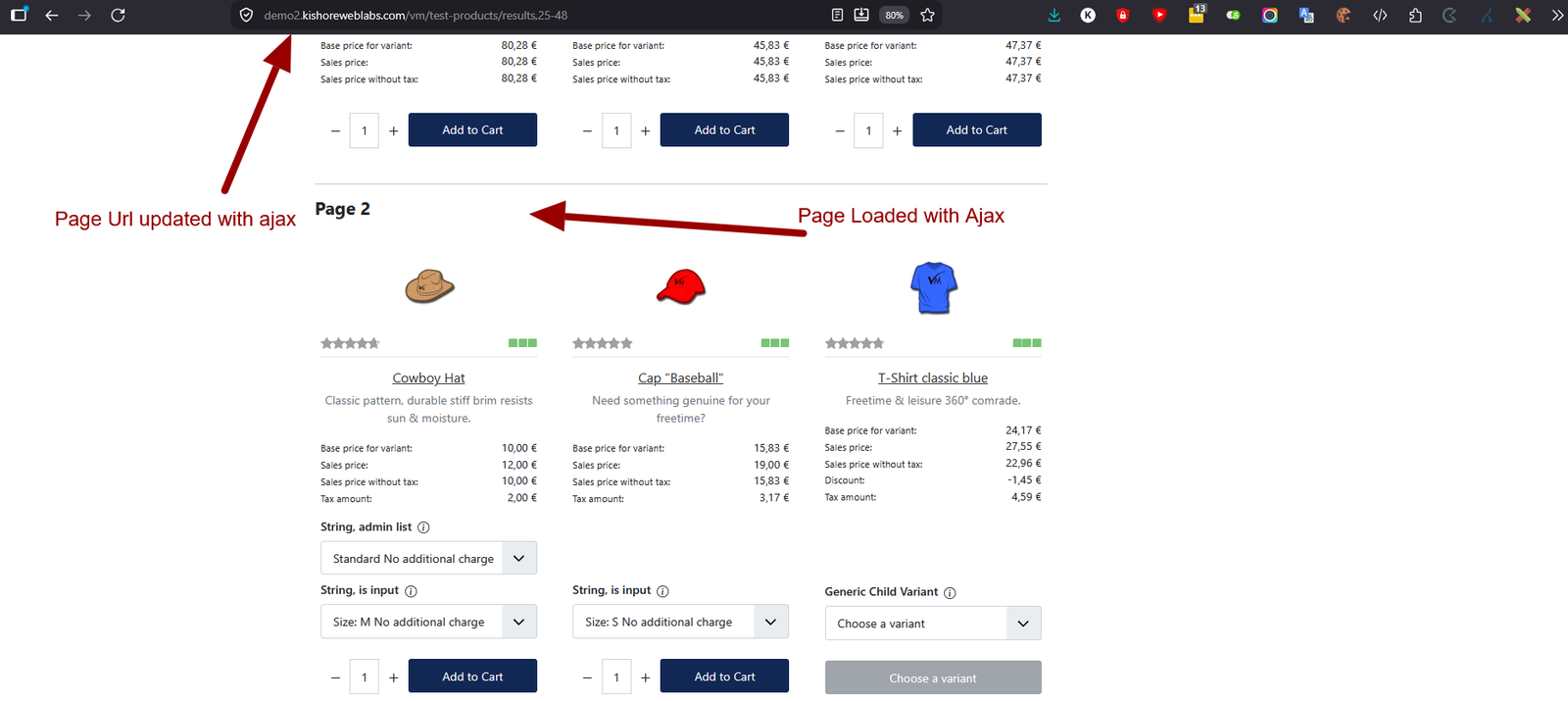
Version 5.1 is a full rewrite for Joomla 5, and the browsing experience is now genuinely seamless rather than merely convenient: the address bar tracks whichever page is on screen as you scroll in either direction, Back and Forward move between pages the way shoppers expect, and — the detail that matters most in a shop — clicking a product and pressing Back returns the shopper to that exact product, not to the top of the list.
Full Features List
Loading behaviour
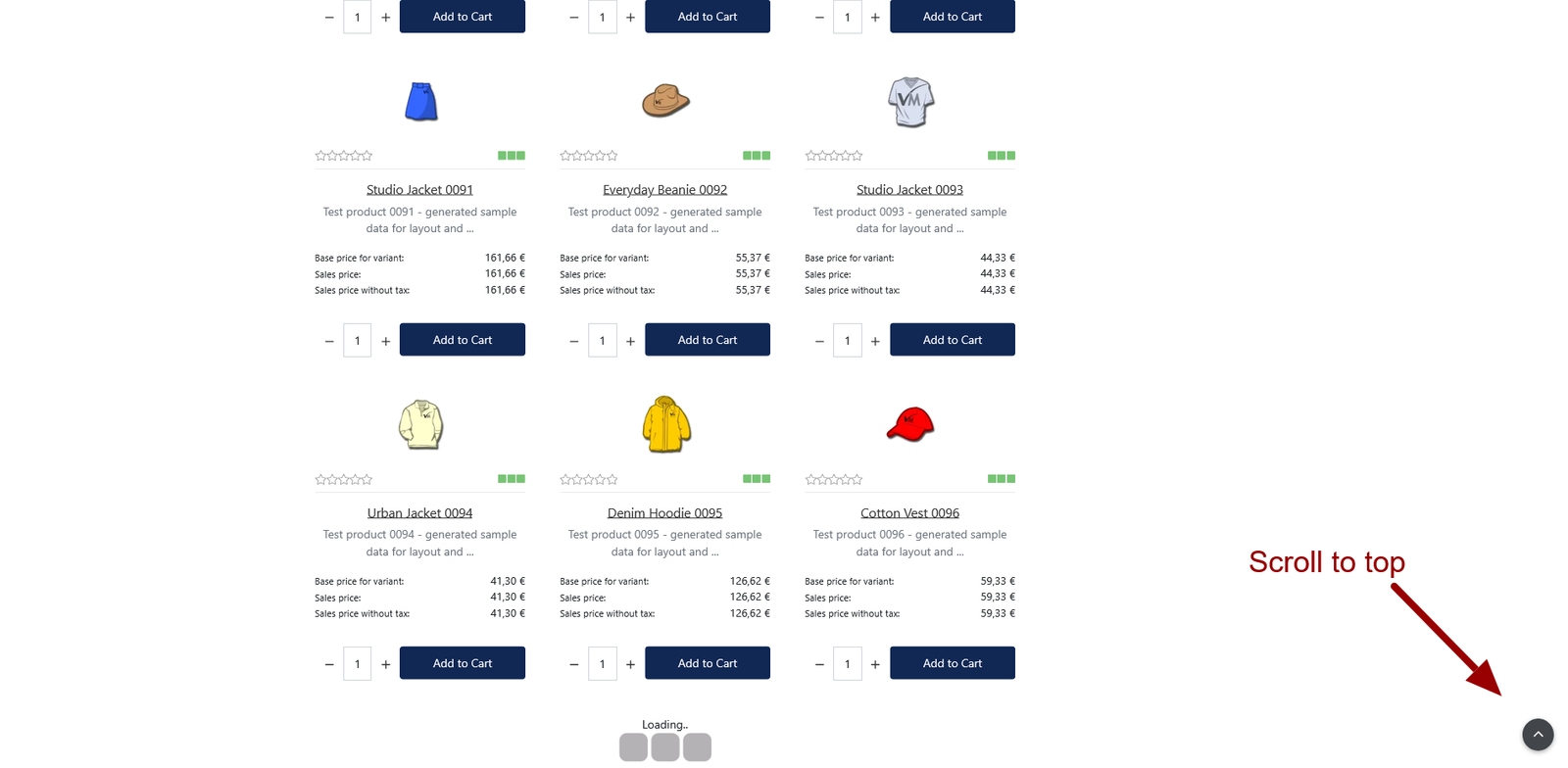
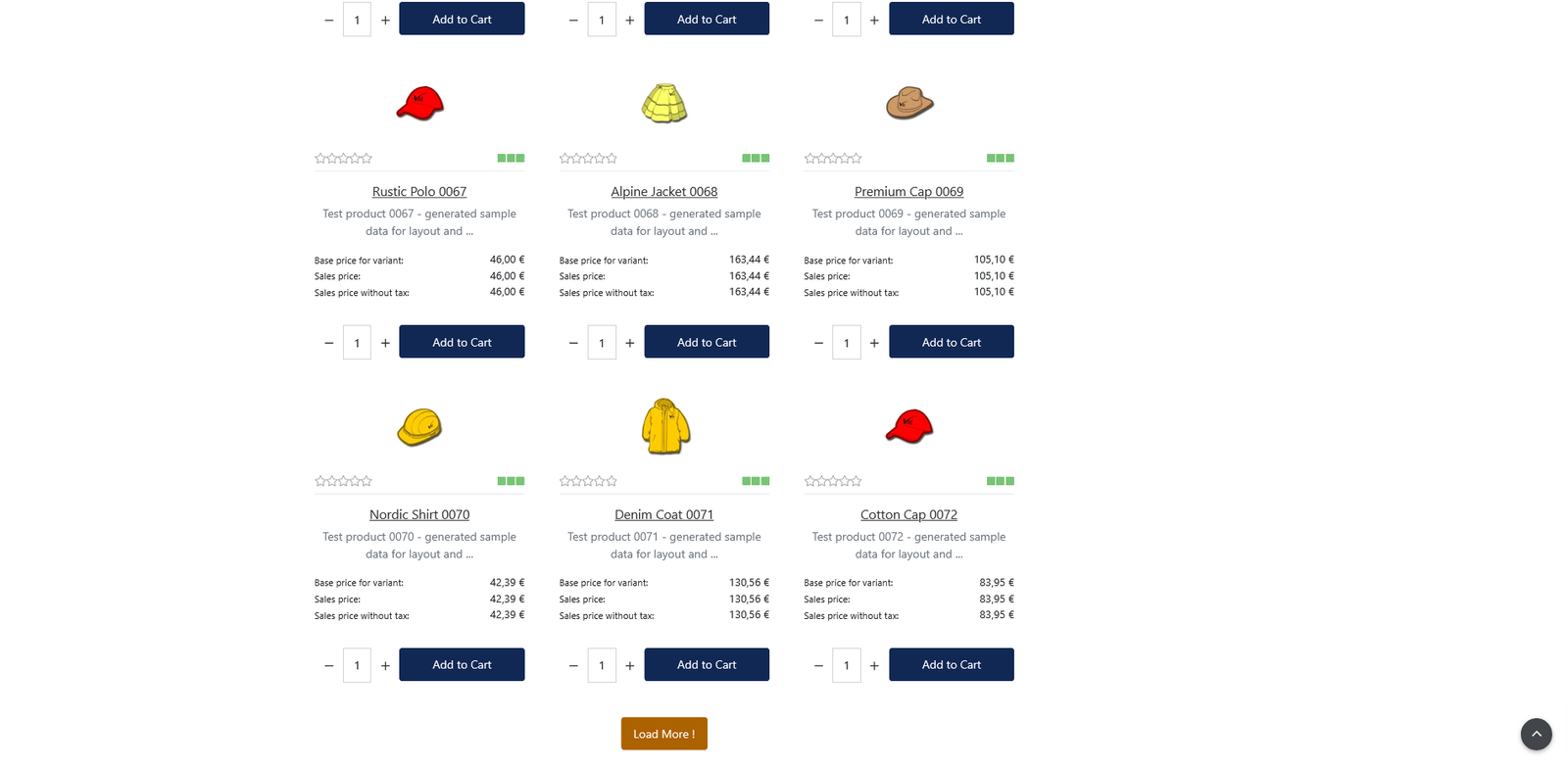
- Automatic loading as the shopper nears the end of the list, or manual via a Load More button
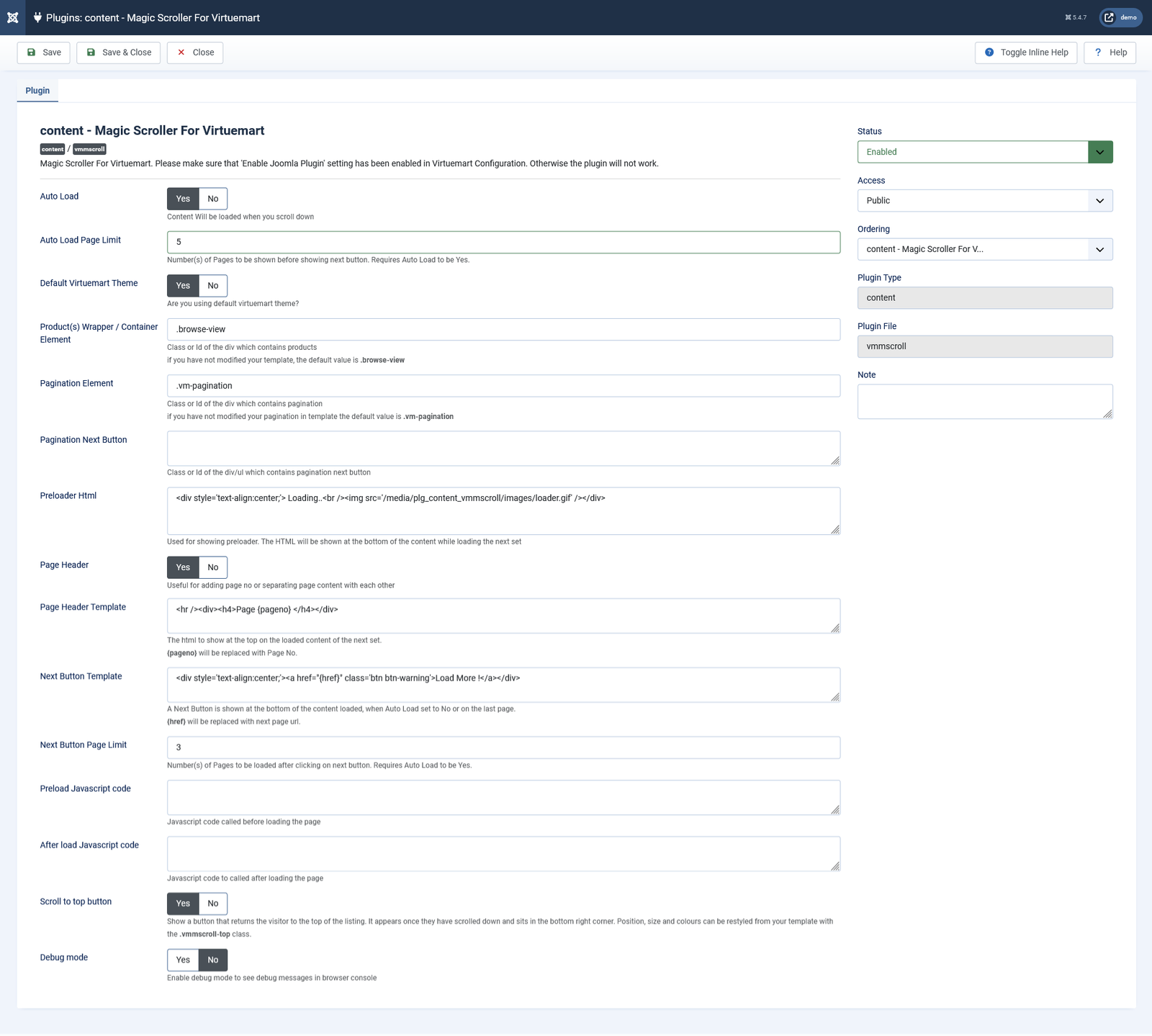
- Set how many pages load automatically before the button takes over
- Set how many further pages load after the button is clicked
- Fully customisable loading indicator — your own HTML, image or text
Navigation that behaves properly (new in 5.1)
- The URL updates to match the page currently in view, scrolling down or back up
- Browser Back and Forward step between pages instead of leaving the shop
- Returns the shopper to the exact product they clicked, at the same position on screen
- Every page keeps a real, shareable, bookmarkable URL
- Optional scroll to top button, restyleable entirely from CSS
Works with your template
- Product grid and pagination targeted by CSS selector — adapts to any VirtueMart or Joomla theme
- No template overrides, no core file edits
- Correct layout on VirtueMart 4 and Bootstrap 5 themes, including add to cart placement
- Search box and sorting controls are never duplicated as further pages load
Presentation
- Insert a page number, heading or separator between loaded pages, using the
{pageno}placeholder - Custom Load More button HTML, using the
{href}placeholder - Newly loaded products fade in rather than snapping into place
For developers
- JavaScript hooks that run before and after each page loads
- Debug mode that logs loading activity to the browser console
- Modern, dependency light engine built on the browser’s native
IntersectionObserver— - Accessible by default: proper button semantics, keyboard focus states, and
prefers-reduced-motionrespected
What’s New in 5.1
- Full rewrite for Joomla 5
- Third party jScroll dependency removed in favour of a native browser API
- The URL now follows the page you are viewing, in both scroll directions
- Working browser Back and Forward between loaded pages
- Return to the exact product you clicked when pressing Back
- New optional scroll to top button
- VirtueMart 4 and Bootstrap 5 layout fix, including add to cart placement
Requirements
- Joomla 4.x , 5.x , 6.x
- VirtueMart 4.x
- Enable Joomla Plugin must be switched on in VirtueMart → Configuration
Installation
Install through the Joomla extension manager in the usual way, then enable the plugin under Plugins and configure it to match your template. Remember to switch on Enable Joomla Plugin in VirtueMart Configuration, otherwise the plugin will not run.